Home / Platform / Work Centrl
Work orders, end-to-end

Work, scheduled.
Crews, dispatched.
Costs, accounted.

Work Centrl turns every preventative task, incident, and emergency into a structured work order that's linked to the asset, located on the map, and rolled up to a budget. Supervisors plan it. Field crews complete it on a phone. Finance closes the loop without re-keying anything.

Illustrative example
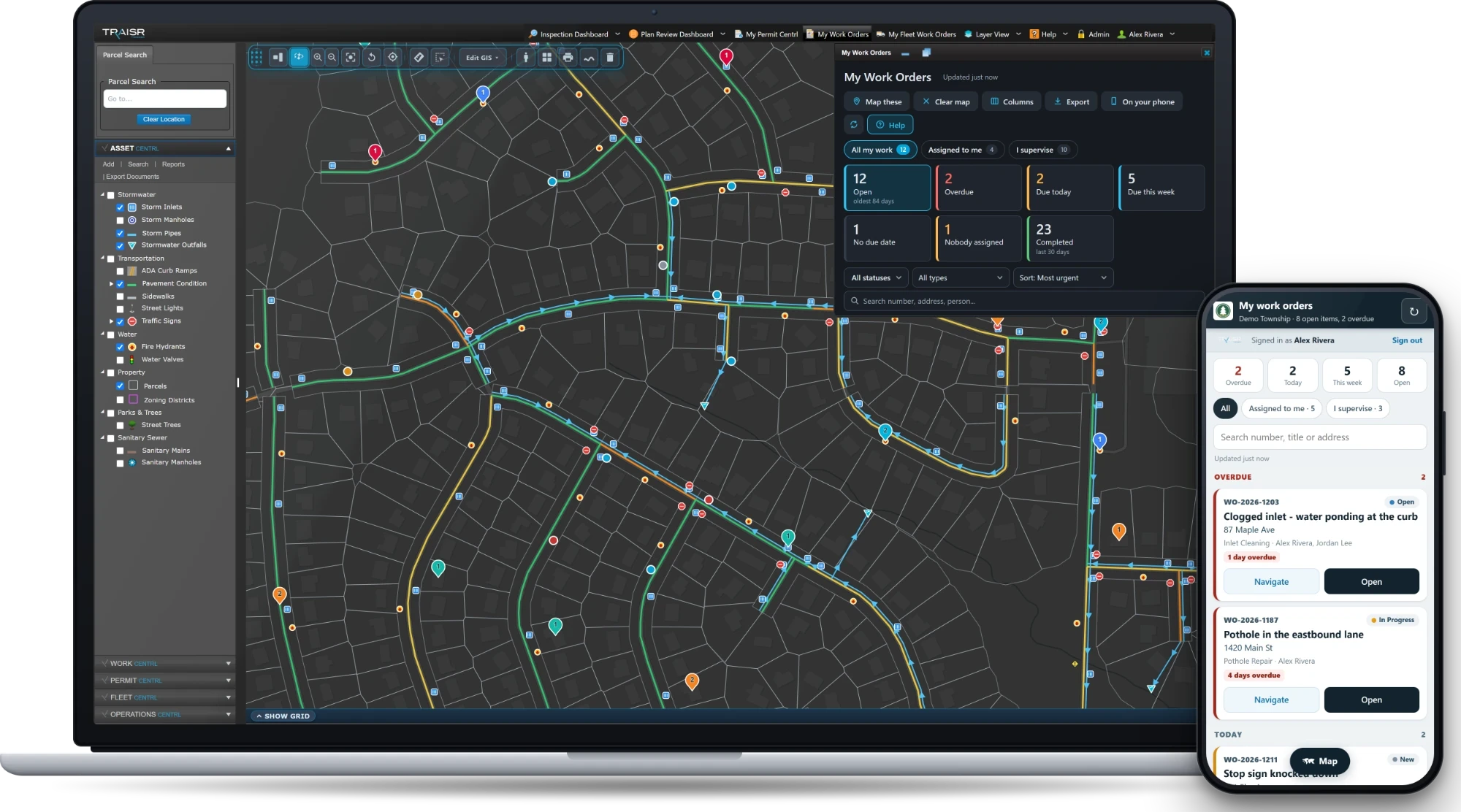
TRAISR Work Centrl map and work order panel — illustrative example.
Preventative Incident Emergency Configurable Asset-linked Spatially located
Capabilities

Built for the shop, not the slide deck.

The features your supervisors will use every morning before coffee, your crews will use one-handed in a truck cab, and your finance team will use to close the books at month-end.

Asset-linked

Every WO ties to the asset it touches. The asset's history is automatically the sum of every work order ever opened on it.

Spatially located

Auto-geocoded from address, parcel, or asset. Spotted on a map, dispatched from a map, reported by zone.

Configurable forms

Simple forms for service calls. Long forms for FEMA reimbursement. Validations, conditional fields, your terminology.

Cost rollup

Labor by crew, equipment by hour, parts from inventory, contractor invoices. Per-asset, per-crew, per-month, per-FEMA event.

Scheduled work

Recurring PMs by asset class, by date, or by usage. Auto-generated, auto-assigned, auto-deferred when storms hit.

Email alerts

Supervisors get notified when a job stalls. Crews get notified when their queue updates. Citizens get notified when their issue closes.

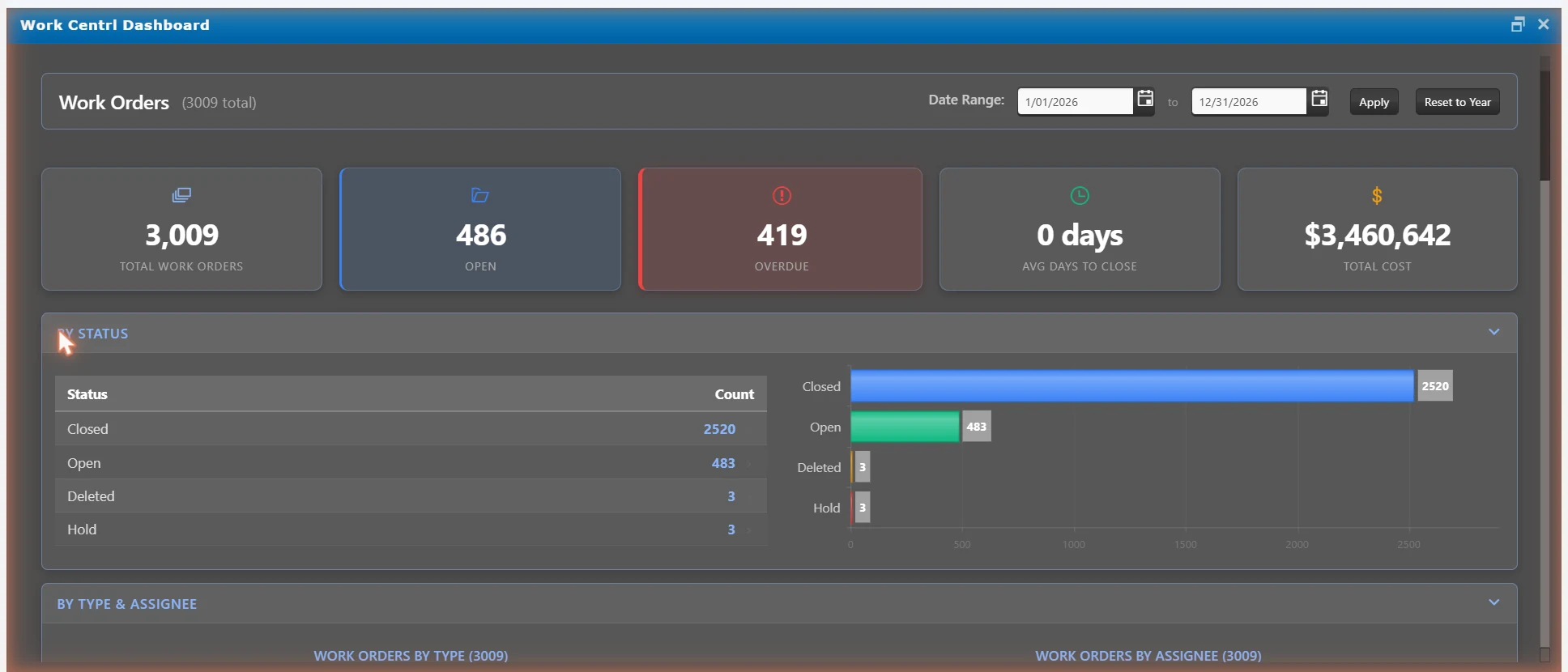
Work dashboard

Every purchase order, budget line, and account code. One view.

Purchasing, budget drawdown, and account codes — tied to the work orders they fund.

Purchasing dashboard — purchase orders by status, top vendors by spend, and the open PO list — illustrative example.
Overview — everything in one place
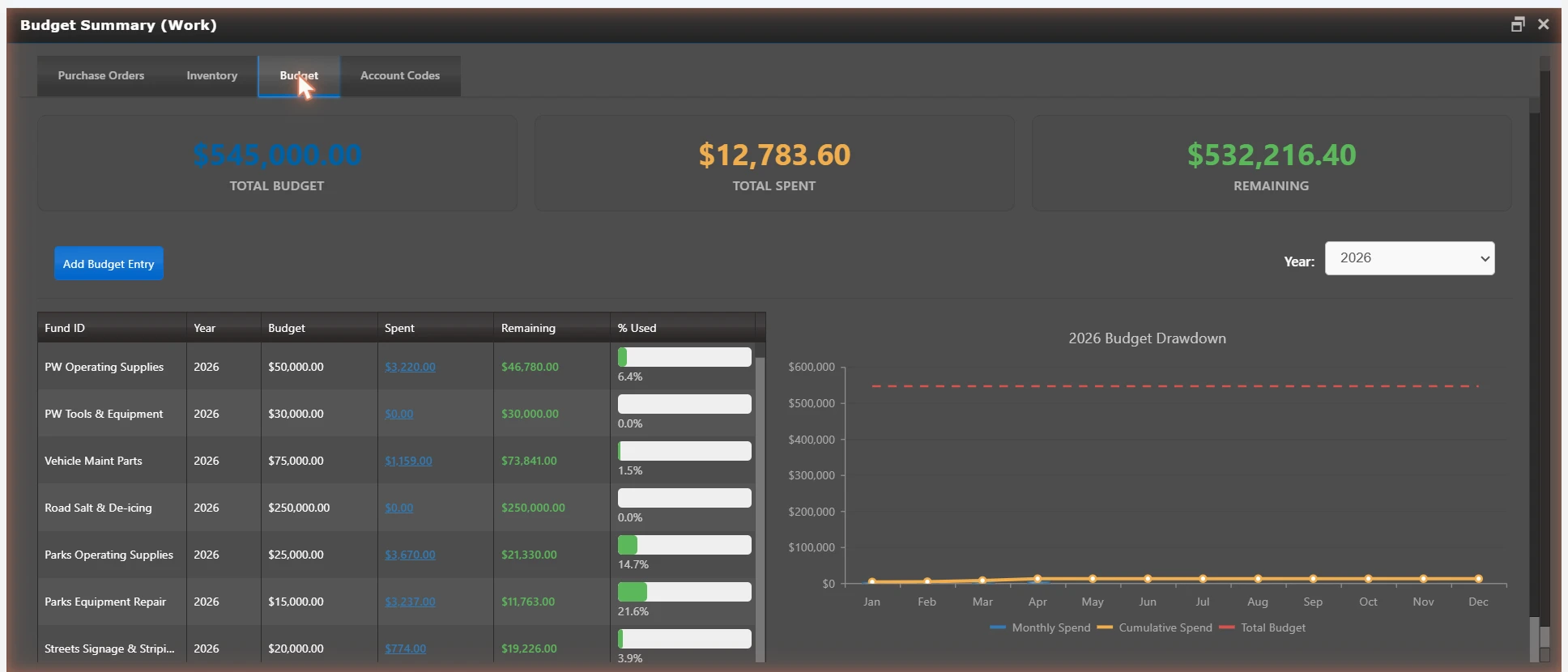
Budget summary — budget, spent, and remaining by fund with a drawdown chart — illustrative example.
Budget — drawdown by fund, live % used
Account codes — fund IDs mapped to ledger, key, and object codes for PO tracking — illustrative example.
Account codes — PO tracking by ledger
Lifecycle

Every work order, one path.

Whether it's a recurring catch basin clean or a 2 a.m. main break, the path through the system is the same — so reporting works the same, costs roll up the same, and your data tells one story.

  1. 01
    Create

    From PM schedule, citizen request, supervisor entry, or map quick-add — all converge to the same record.

  2. 02
    Schedule

    Drop on the calendar with crew, equipment, and estimated duration. Conflicts visible before dispatch.

  3. 03
    Assign

    Crew leader picks it up. Field staff get notified by email, text, or in-app — whichever they actually check.

  4. 04
    Dispatch

    Truck rolls. GPS Centrl shows them en route. Supervisor sees ETA without making a phone call.

  5. 05
    Complete

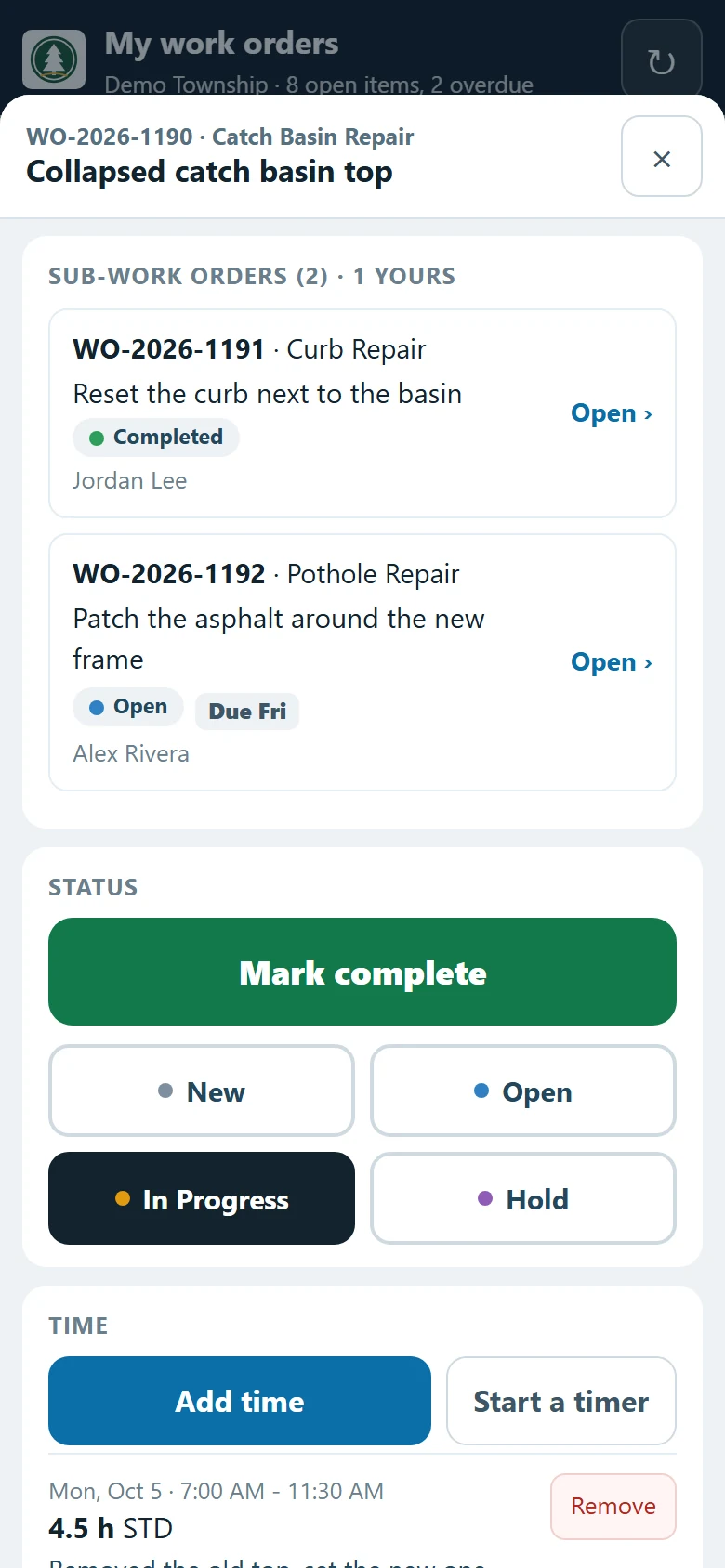
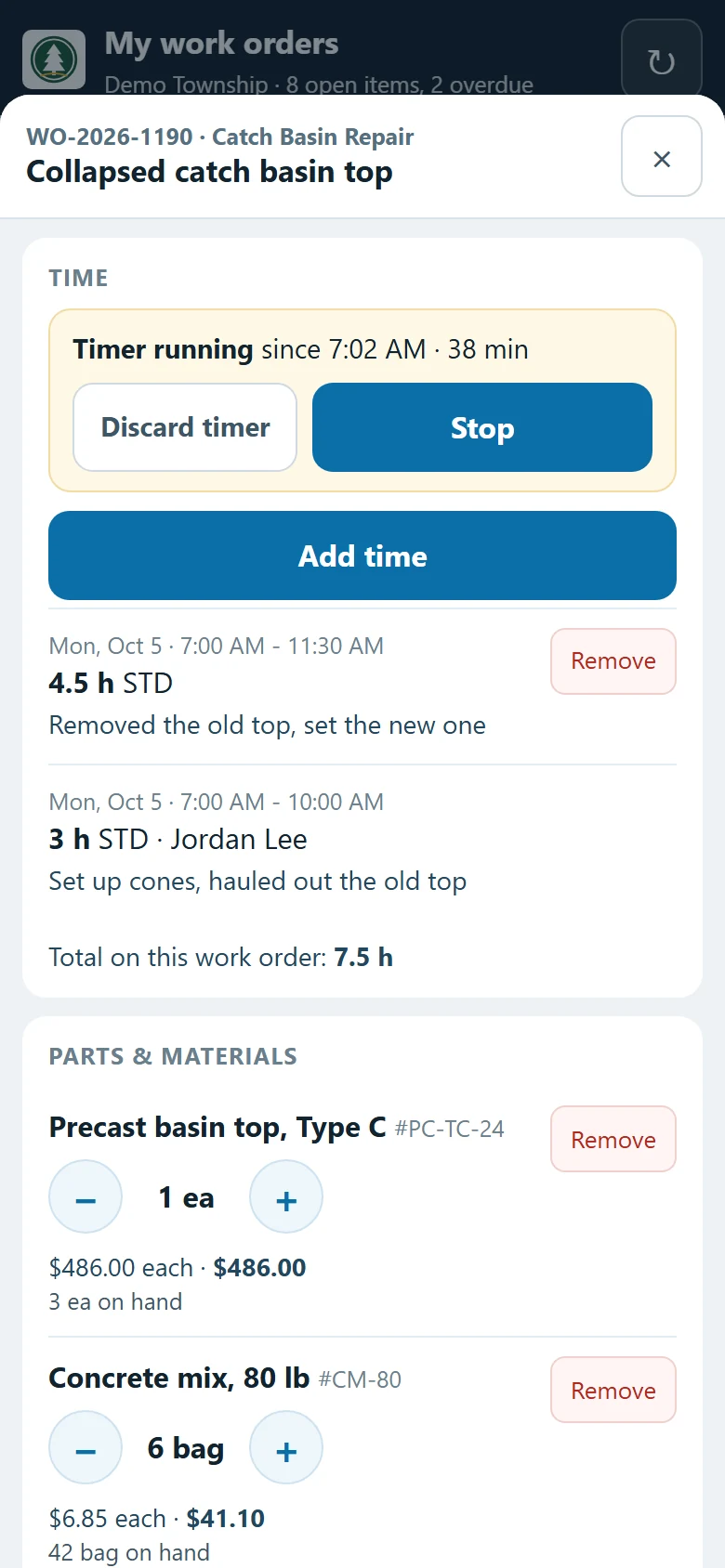
    Crew logs hours, parts, photos, notes — on the same record, on the phone, before they leave the job.

  6. 06
    Close

    Costs roll up. Asset history updates. Citizen gets a status email if they reported it. Done means done.

Features

The list that closes tickets.

The features that don't make the brochure but get pulled up on every demo by a director who knows what they're looking at. Work Centrl ships them on day one.

01

Vehicle & equipment costs

Hourly rates per truck, fuel logs, mileage, depreciation. Roll into the WO automatically — no spreadsheet copy-paste at month-end.

02

Daily worksheets

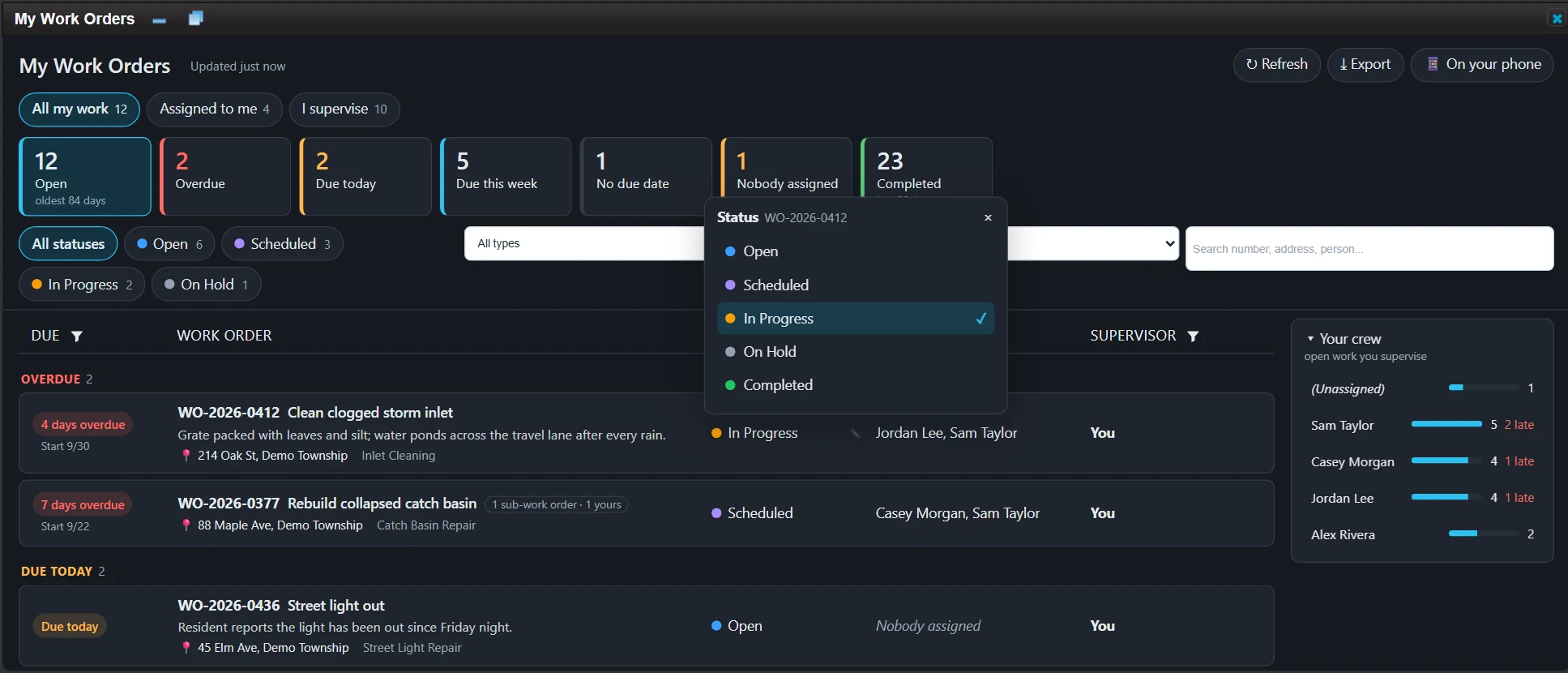
Crew leader sees the day, the team, the trucks, the queue — all on one screen. Reports out at end of day with one tap.

03

Scheduled work orders

Recurring PMs from asset attributes — clean every catch basin quarterly, inspect every hydrant annually, paint every line every two years.

04

Labor tracking

Per-staff, per-job hours. Overtime, double-time, FEMA-reimbursable hours flagged. Payroll exports without a phone call.

05

Inventory tracking

Parts, materials, consumables. Pulls draw from inventory on completion. Re-order alerts before the shelf goes empty.

06

Color-coded status

One look across the day. Open, en route, in progress, done, deferred, escalated. No translating cell colors from a manager's spreadsheet.

07

Photos & voice notes

Capture before / during / after on the job. Voice notes transcribe to the record so crews don't type with one finger.

08

Offline-capable

Crews go in the basement, the truck loses signal, the work continues. Syncs back the moment connection returns.

Use cases

From PMs to 3am call-outs.

Every kind of work your operation runs through a department gets the same record structure — same dispatch, same cost rollup, same downstream reporting. The only thing that changes is the form you fill out.

Preventative maintenance

Recurring schedules per asset class, auto-generated work orders, condition-driven re-prioritization.

Schedule-driven

Incidents

Tree down, line break, sinkhole, hit-and-run. Quick-create from the map, photo capture, supervisor escalation in one tap.

Map-first

Emergencies

Storm response, water main breaks, hazmat. Open priority queue, all crews visible, all time-stamped, all coded for after-action review.

Priority queue

FEMA events

Disaster-tagged work orders with category codes, hourly equipment rates, and exportable reimbursement packages. Audit trail intact.

Reimbursable

MS4 compliance

Stormwater inspections, illicit discharge response, BMP maintenance — tagged, tracked, and reportable on the state's schedule.

Stormwater

Service calls

Citizen-reported issues come in from Citizen Centrl, route to the right crew, close back with a status update. No double entry.

Citizen-linked
Integrations

Work travels between modules.

A work order rarely lives alone. It comes from a citizen request, touches an asset, calls for an inspection, gets a truck rolling. Work Centrl plays its part in the bigger system without re-entry on either end.

Every WO appears on the asset's record. The asset's lifetime cost is the sum of its work orders.

Failed inspection? Auto-generates a corrective WO. Clean inspection? Closes the loop.

Crews show up where the WO is. Routes saved. Idle time visible. ETAs without phone calls.

Service calls flow in. Permit-driven work flows in. Status updates flow back to the citizen automatically.

— Get started

Retire the work-order clipboard.

Walk us through your worst week — the storm, the audit, the clip-board fire drill. We'll wire your assets, crews, and rate sheet into a working sandbox and run jobs end-to-end.

No slides Just the product
Request a personalized demo
Request a demo