Inspection Centrl schedules and dispatches every inspection your municipality runs — permit, code, fire, MS4 — and lets your inspectors complete them on a phone or tablet. Photos, signatures, and follow-ups tie straight back to the permit, the work order, and the asset they belong to.
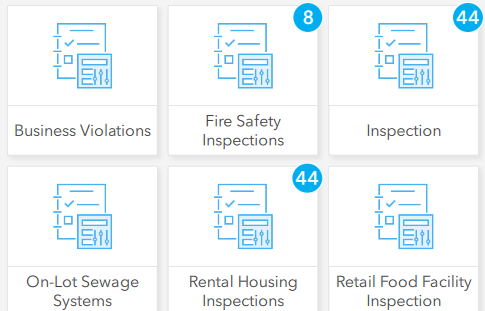
Permit, code, fire, MS4 — plus preventative and scheduled maintenance. One configurable form engine, one mobile app, one inbox for every result.
Tied to the permit. Building, electrical, plumbing, fire, sign-off and re-inspection. Inspector sees the application, the prior result, and the fee status before they leave the office.
Drop a complaint pin, photograph the violation, issue the notice — all from the curb. Re-inspections auto-schedule. Hearing-ready PDFs on demand.
Occupancy checklists, hydrant flow-tests, extinguisher service intervals — scheduled, completed, and signed off without leaving the rig.
Outfall inspections, BMP maintenance logs, illicit discharge investigations. Built to the categories your DEP wants. Annual reports auto-compiled.
Mileage, hours, interval-based — define your PM rule once and the system schedules the work, dispatches it, and closes the loop.
Calendar-driven recurring inspections — every Tuesday, every storm event, every quarter. Outlook integration so the inspector's day is on their phone.
An inspection isn't a standalone form — it's a state change on the permit, the work order, and the asset. Inspection Centrl writes back to all three the moment the inspector taps "Submit."
Pass moves the permit to "approved." Fail attaches the inspector's note, holds the permit, and notifies the applicant — automatically.
A failed inspection can spawn a corrective WO with one tap. The new WO inherits the location, the asset, and the inspector's notes.
Every inspection becomes part of the asset's record — condition score, last inspected, who inspected, what they saw. Forever.
Tomorrow's inspections show up on the inspector's Outlook calendar. Cancellations, reschedules, and emergencies sync both directions.
One inbox for every inspection your municipality runs. Forms tuned per type, photos geo-tagged in the field, results that update the permit, the work order, and the asset the moment an inspector taps "Submit."
Every inspection type gets its own form. Required fields, conditional logic, photo prompts, signature blocks — you configure, no developer required.
Inspector snaps photos, captures applicant signatures, geo-tags the location — all on the phone. No upload step.
Inspections appear on the inspector's Outlook calendar. Office reschedules, the inspector sees it. Inspector closes a slot, the office sees it.
Set the rule once: failed inspections get a 30-day re-inspection. Passed permits get a six-month follow-up. The system never forgets.
Inspectors lose signal in basements and parking decks. Inspection Centrl works offline and syncs the moment a bar comes back.
Phone, tablet, ruggedized laptop. Same data, same UI, no native app to babysit. Works on whatever your inspectors actually carry.
Walk us through your inspection types — permit, code, fire, MS4 — and we'll preview them as configured forms running on a phone. Straight answers about fit, scope, and timeline.